
new
Time Clock
Users can now clock in/out on a shared device!
We are excited to announce that users can now clock in/out on a shared device using a PIN!
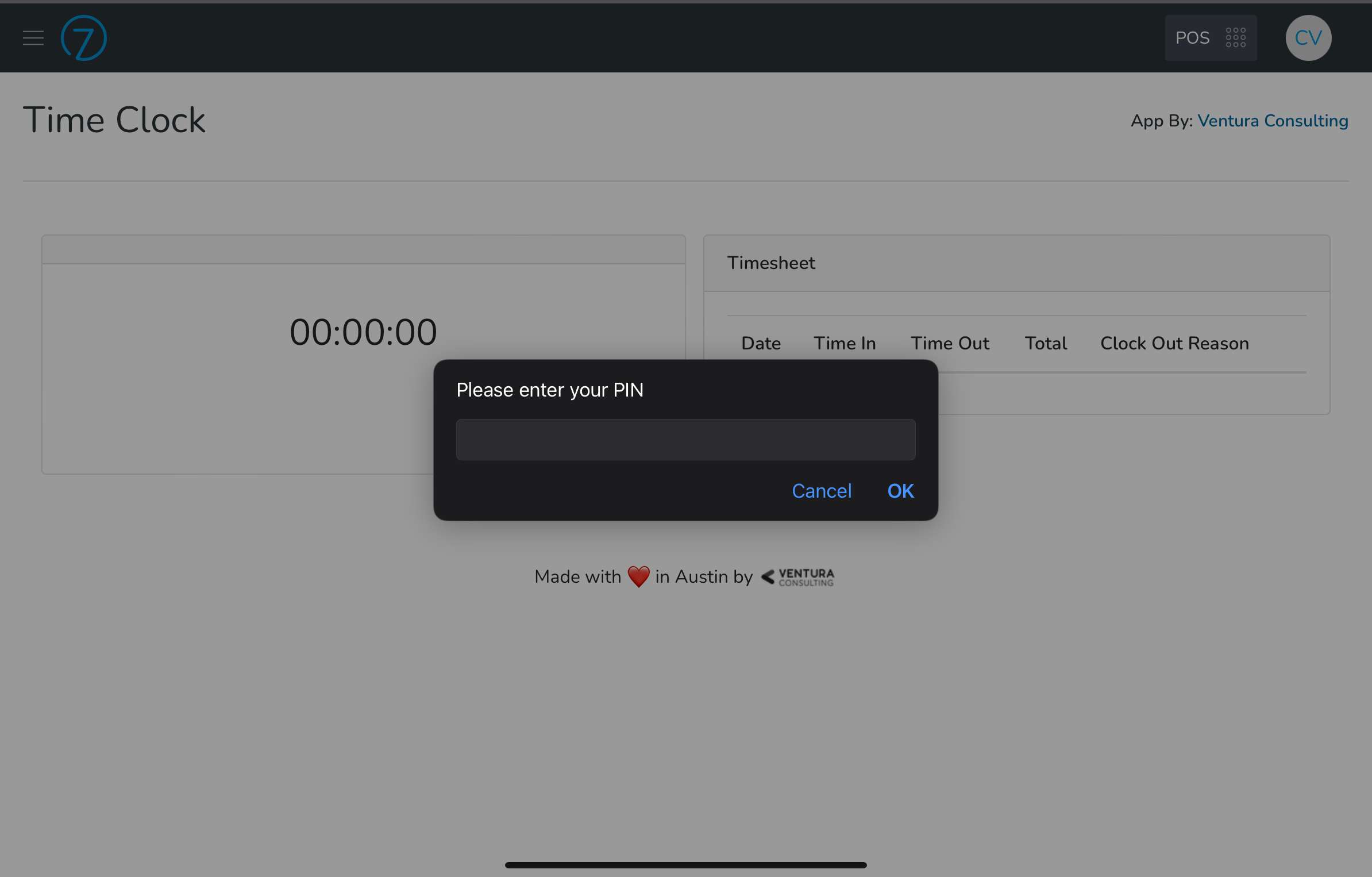
This is perfect for staff members that work on the bar using a shared device or if you want users to clock in from a single device. Feature only available to Time Clock Pro users. Not a pro user? Try it free for 30 days!
When you enable this feature and configure PINs for your employees, they will be asked for a PIN before clocking in or out.
Once they clock in/out they can "Lock" the screen by clicking on the button on the screen.
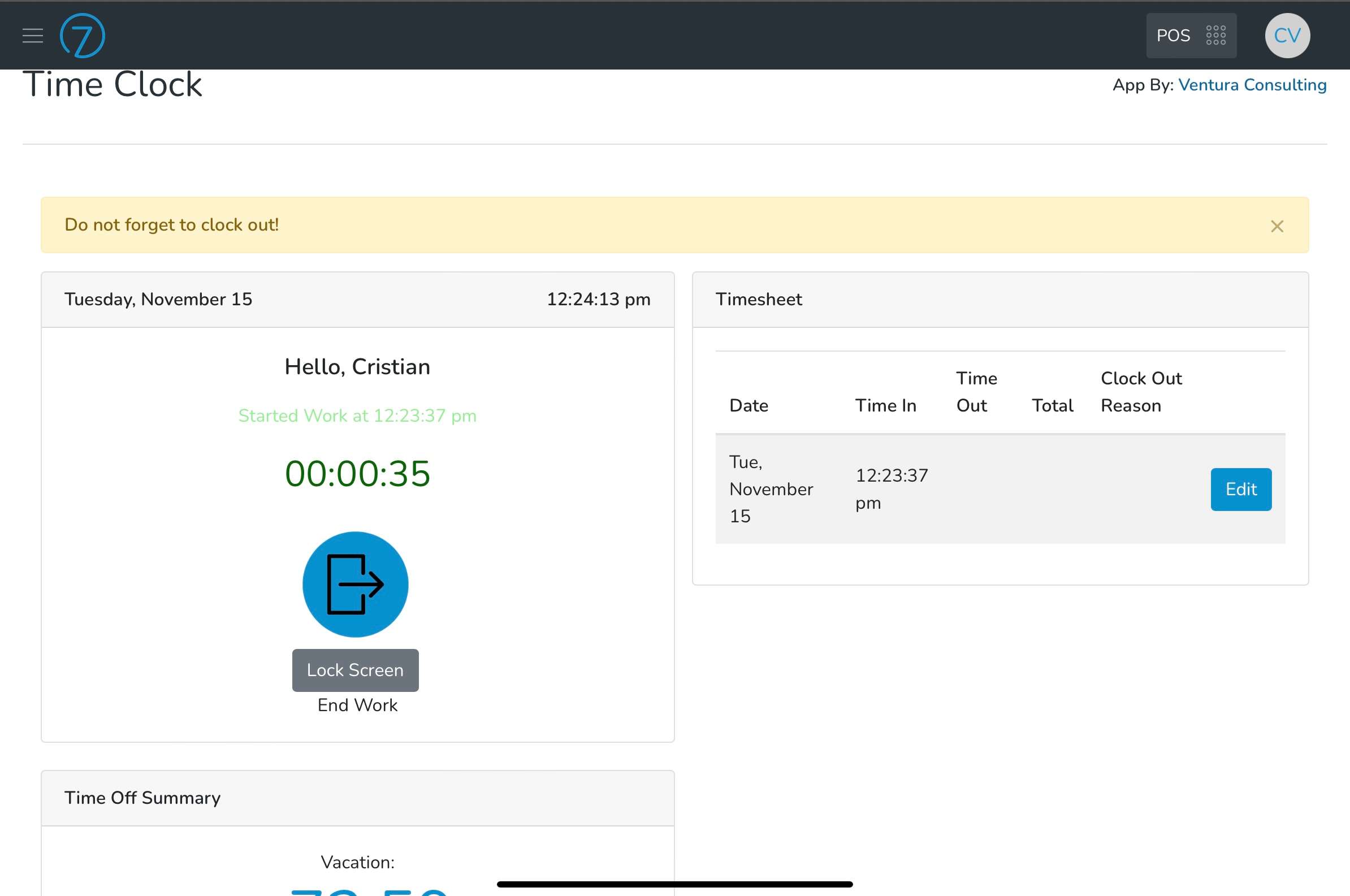
If you want to enable this feature for your staff members here are the steps:
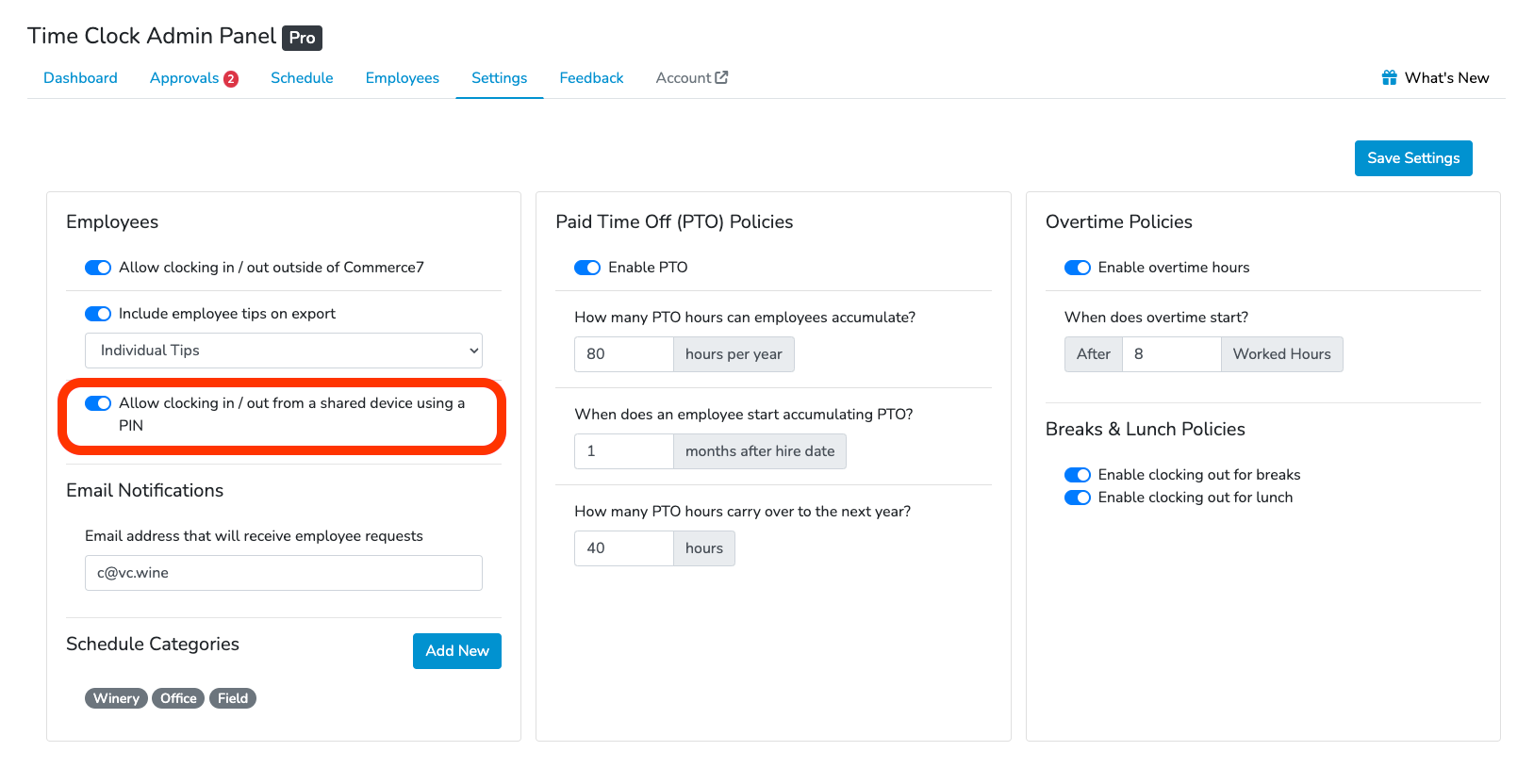
- Go to Time Clock Admin Panel > Settings.
- Turn on Allow clocking in / out from a shared device using a PIN.
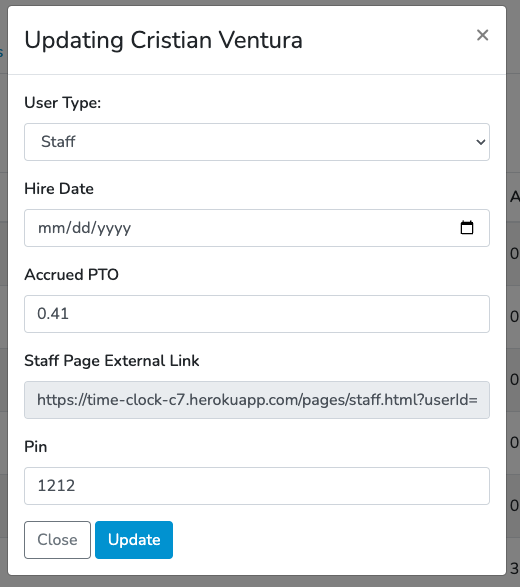
- Set a PIN for each staff member.
Setting PINs for staff members
- Go to the Employees tab
- Click on the Edit button for each employee, set a unique PIN an click Update.
Note:
For security reasons you need to assign a different PIN to each employee. If 2 or more employees have the same PIN, it will cause unexpected results.If you need help setting up this feature let us know in the chat below or email us at [email protected].